XM Extension Publishing
Overview
In order for customers to access and use your certified extension versions, they must be published. Depending on whether you are publishing a net new extension or an updated version, the behavior will differ. This document will go over the process to publish as well as the differences between the two scenarios.
Publishing your extension
Once you receive a notice that your extension has been certified, navigate back to the Qualtrics Partner Portal. In the Publish tab, choose your extension and click "Publish version" next to the certified version you wish to publish.
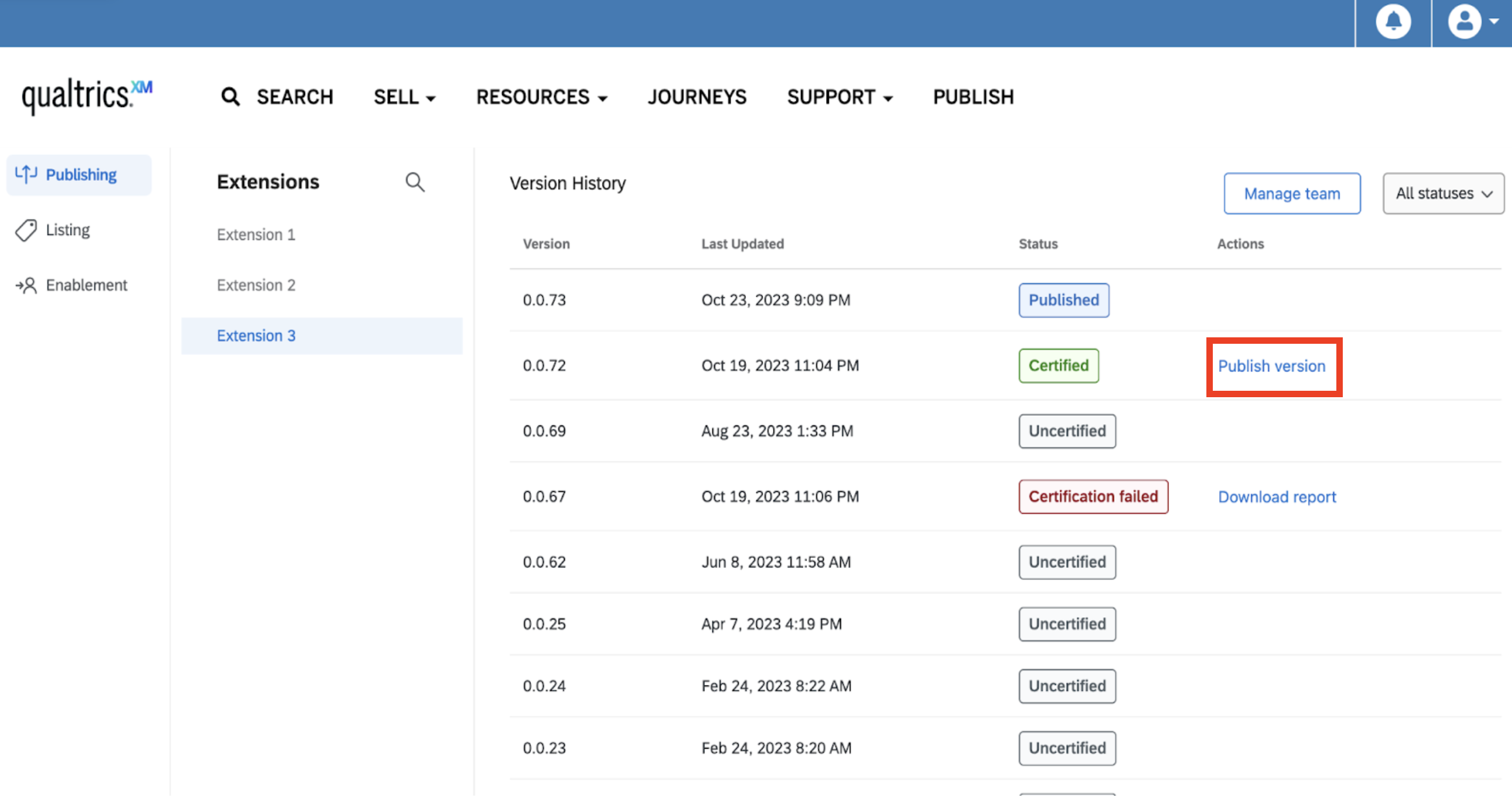
Publishing a new XM Extension
If this is the first time you are publishing an XM Extension, once the extension is published, you will be able to use the "Enablement" section to enable the extension for your customers.
Publishing a new version of an existing XM Extension
If you are publishing a new version of an existing XM Extension, you will immediately affect the behavior of existing extensions. In particular, please note that:
- Existing customers will be automatically updated to the newly published version. Therefore, it is imperative that you build in backwards compatibility for your extension.
- If you are adding an
OAuth2scope toqualtricsScopes, brand admins will be notified and they will have the option to accept or deny the new scopes. Your extension will update for the brand whether or not a brand admin accepts the changes. Therefore, it is your responsibility to maintain backwards compatibility in the event that a given brand has not accepted the new scopes yet. - If you are removing a scope from
qualtricsScopes, the extension will be automatically updated and the scope will be removed with no intervention needed by customers. This cannot be re*added at a later time.
Rolling back to another version of an existing XM Extension
If, for any reason, you need to revert back to a previous version of an XM Extension, you may choose to publish an existing version. The same behavior applies as that of publishing a new version of an existing XM Extension.
Getting Help
At any time during the process, you can post questions to our community of experts in the XM Community or request an office hours appointment with our Developer Relations team through QPN Assistant.
Next Steps
Once your extension version is published, you can create a listing on the XM Marketplace, or immediately enable it for customer brands.