App Insights Project Setup
In this section, you'll set up your App Insights project in the Qualtrics platform.
App Insights Project is the web component of Experience SDK that allows you to create and publish intercepts, as well as modify SDK settings. You must configure an App Insights Project in order to use the SDK inside of your app.
-
Ensure you have a Qualtrics account (contact your Admin if needed).
-
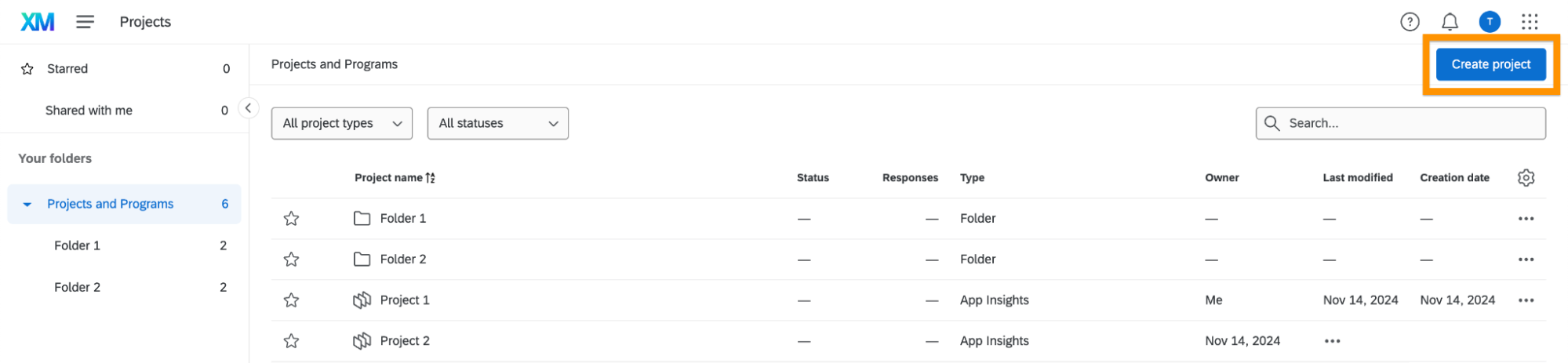
Navigate to the Projects page in the Qualtrics platform and create a new project.
-
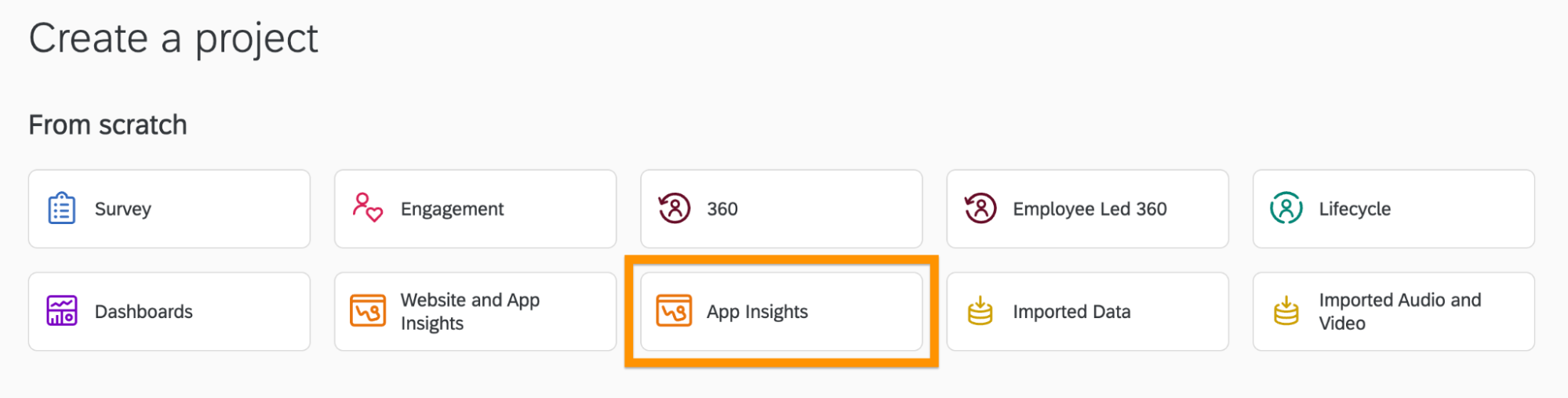
In the projects catalog, choose the App Insights Project, then click the Get Started button.
-
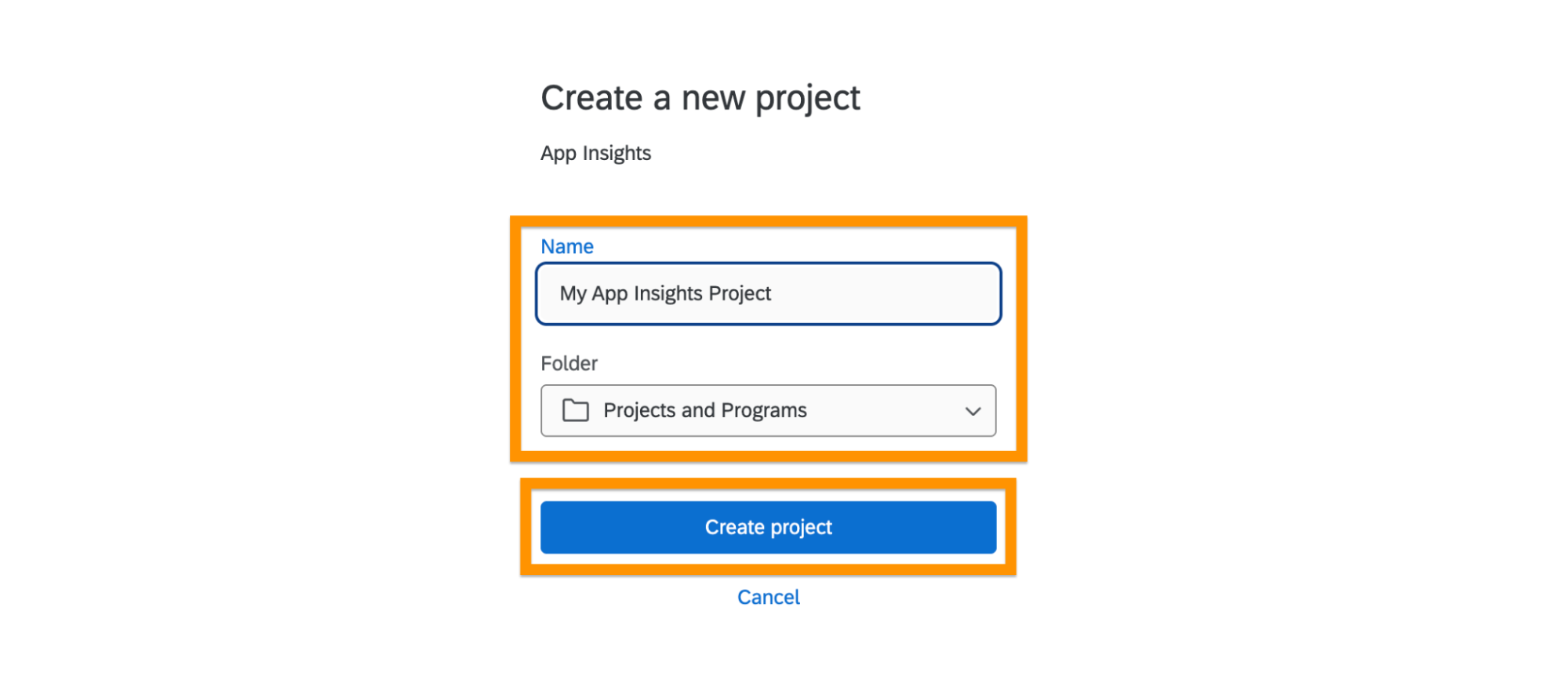
Enter the project name, select the project folder, and create the project.
-
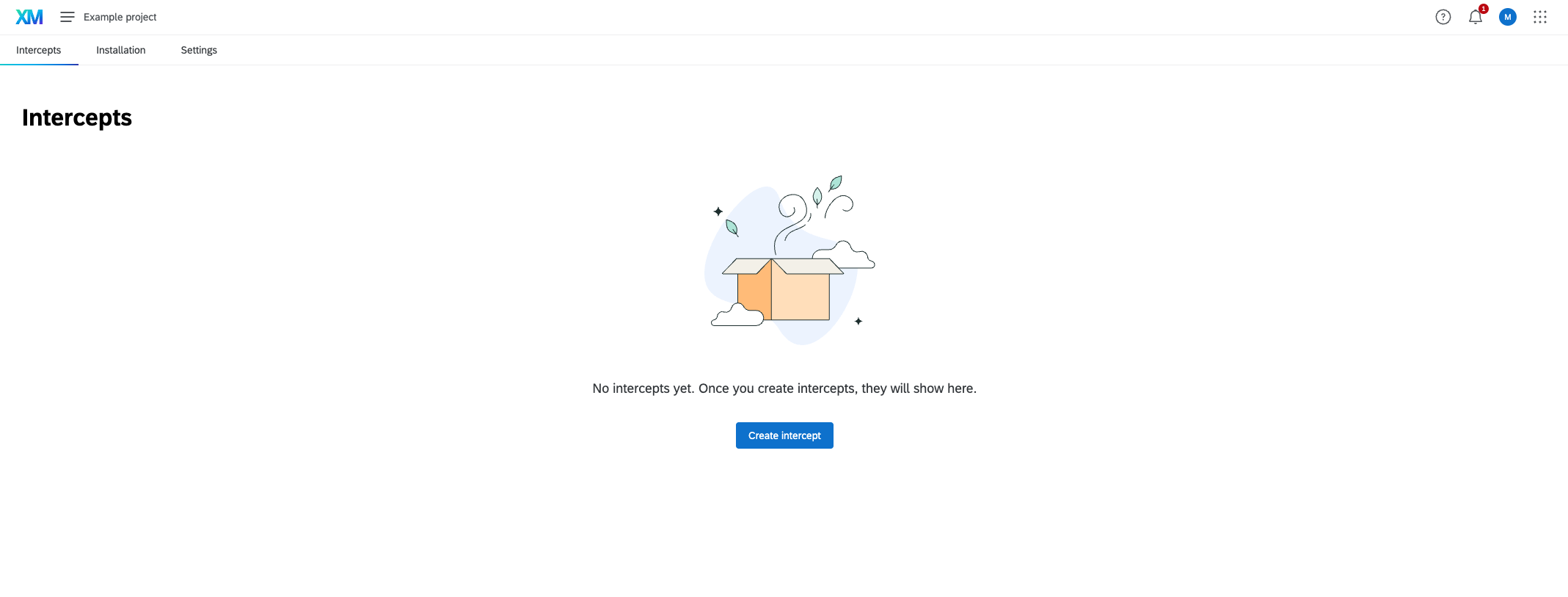
Upon completion, you'll be redirected to the intercepts page, confirming successful creation.
Once you've completed the project setup, proceed to SDK Setup.