Workflow Task Overview
Summary
This guide highlights the what, why, and how of Workflow Task Plugins and provides links to additional relevant information.
What
The Qualtrics Workflows feature enables users to set up processes that complete tasks when specified events occur.
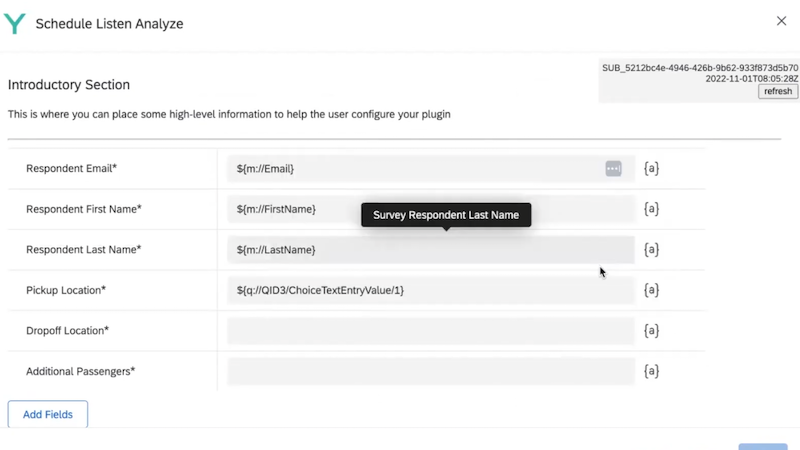
As an XM Developer, you have the ability to create customized Tasks that can interact with external systems, Qualtrics, or both.
Why
The most common scenario for building a Workflows Task is to move data into or out of Qualtrics from or into external platforms when an event within Qualtrics occurs (e.g. survey completion, ticket gets closed, scheduled event).
Example
Your website has a Qualtrics survey available for customers to report on their experience with your product. Once this survey is submitted, you'd like to use part of the submission information to offer a promo code specific to the customer. To do so, you can build a custom Workflows Task to interact with your system which is triggered by that feedback survey submission.
How
At a high level a Workflows Task Plugin is a combination of:
- Frontend form that a user sets up to collect data from Qualtrics
- Backend process that takes the input and does something with it.
See the deep dive for more information.
Recommended Content
Learn and build Workflows Task Plugins via these links: