Digital Statistics with the Mobile App SDK
This document describes how the page view, impression, and click statistics behave with the Mobile App SDK.
Page Views
The page view metric is tracked and incremented in two cases:
- When the MobileSDK is initialized, as shown below:
Qualtrics.instance().initializeProject("brandId", "projectId", callback);

or

Qualtrics.instance().initializeProject("brandId", "projectId", "extRefId", callback);
Qualtrics.shared.initializeProject(brandId: "BRAND_ID", zoneId: "PROJECT_ID", callback)

or

Qualtrics.shared.initializeProject(brandId: "BRAND_ID", zoneId: "PROJECT_ID", extRefId: "EXT_REF_ID", callback)
- When the evaluate function of the Mobile SDK is called (to evaluate the targeting logic of the intercept), as shown below:
Qualtrics.instance().evaluateProject(myCallback);
Qualtrics.shared.evaluateProject { (result) in myBlock }
Impressions
The impression metric is incremented every time a creative is shown to a visitor. This allows you to ultimately calculate a click-through rate. There are two ways to increment this value:
- The SDK automatically increments the metric when the display() method is called (used to show the creative of the actionset that evaluated to true), as shown below for Android and iOS:
Qualtrics.instance.display(MainActivity.this);
Qualtrics.shared.display(viewController:self)
- If you choose not to use the display() method in your custom callback, you can manually increment the impression count with the recordImpression() method. The recordImpression() method is a member of the targeting result object passed into the callback of evaluateTargetingLogic() as the following code examples show:
// targetingResult is an instance of com.qualtrics.digital.TargetingResult
targetingResult.recordImpression();
//targetingResult is an instance of Qualtrics.TargetingResult
targetingResult.recordImpression()
Clicks
The clicks metric is incremented every time the target within a creative is loaded. Dividing the number of clicks by the number of impressions will give you the number of users that click on your target out of the total users that viewed the creative which is known as the click-through rate. Click-through rates can offer powerful insights about the effectiveness of your creatives, and they are commonly used to measure the success of online advertising campaigns. There are two ways to increment this value:
- The click metric is automatically incremented when a user clicks the button of the creative that was configured to use as intercept target.
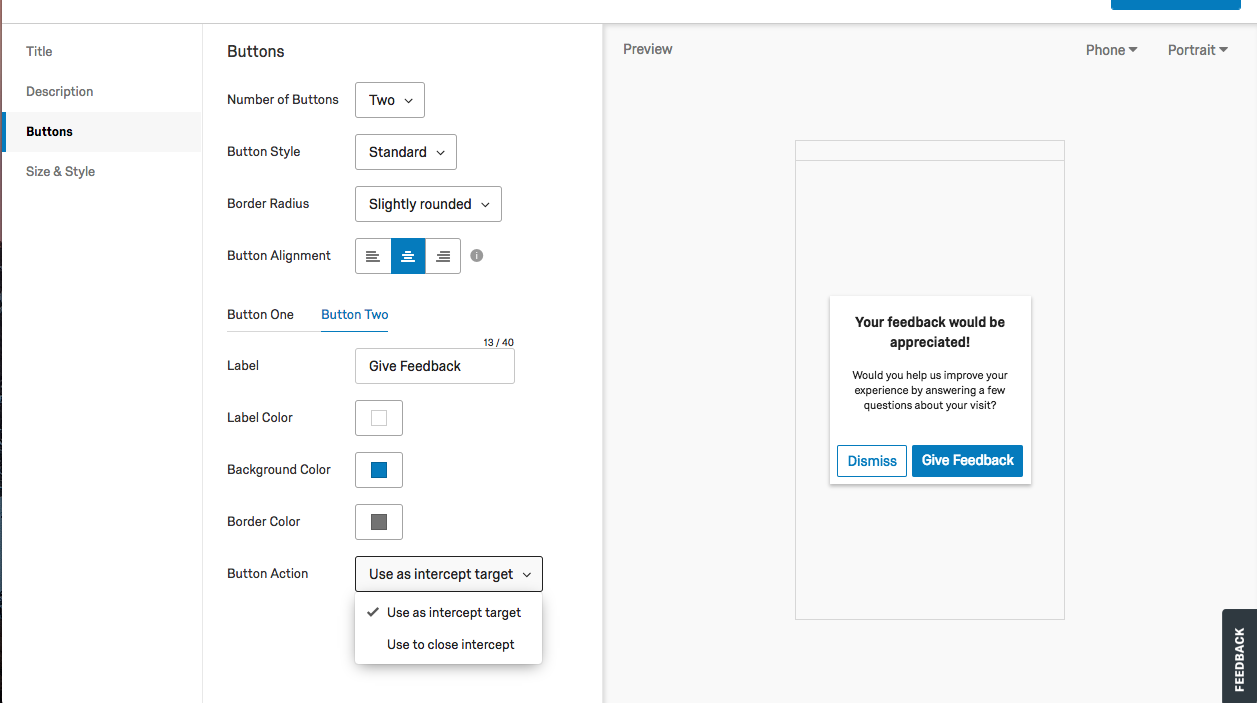
- You can manually increment the click count with the recordClick() method. The recordClick() method is a member of the targeting result object passed into the callback of evaluateTargetingLogic().
The following code example shows this usage:
// targetingResult is an instance of com.qualtrics.digital.TargetingResult
targetingResult.recordClick();
// targetingResult is an instance of Qualtrics.TargetingResult
targetingResult.recordClick()
View Stats
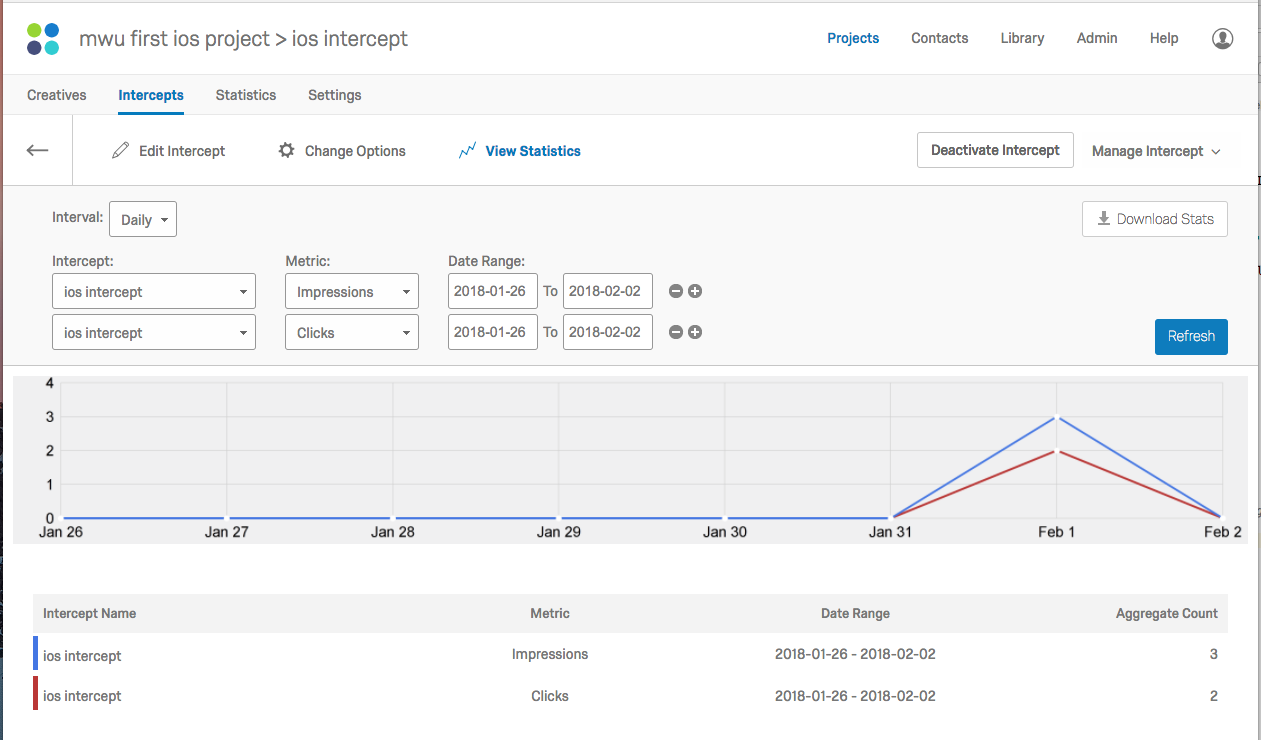
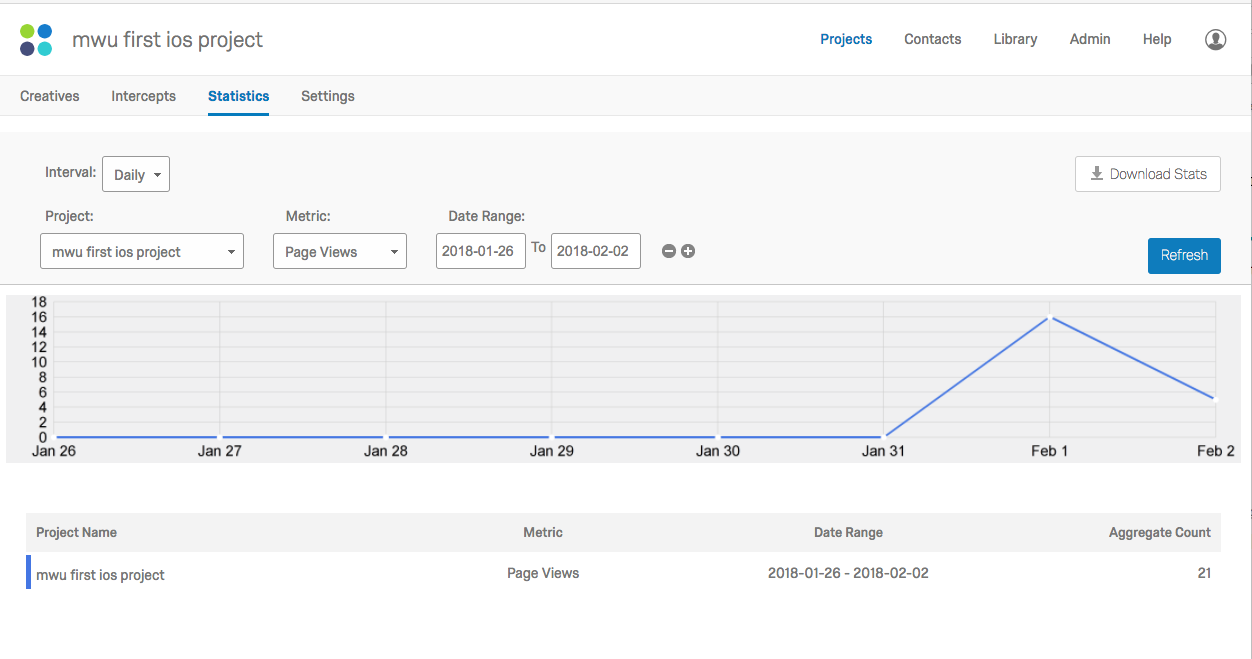
Statistics may be viewed for intercepts or projects as a standard user.
The following shows intercept statistics:
 The following shows project statistics:
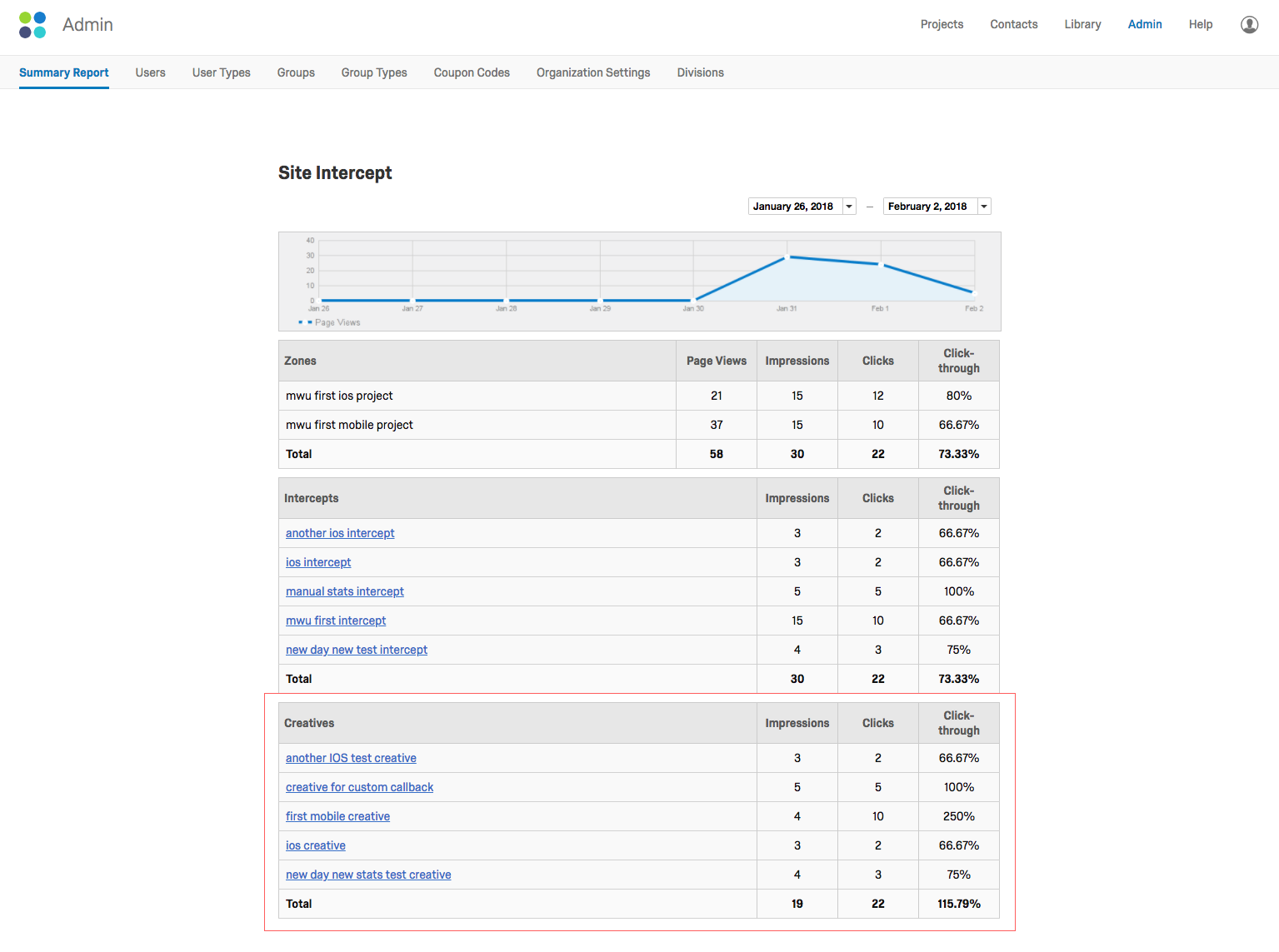
 As a brand administrator, you can see creative statistics under "Summary Report" in the Admin section of the platform, as shown below: