API Token Authentication
The Qualtrics API provides an API token based authentication system. To authenticate using a valid token, include your token under the HTTP header X-API-TOKEN.
How to Find Your Token
-
Login to Qualtrics
-
Go to Account Settings in the user dropdown
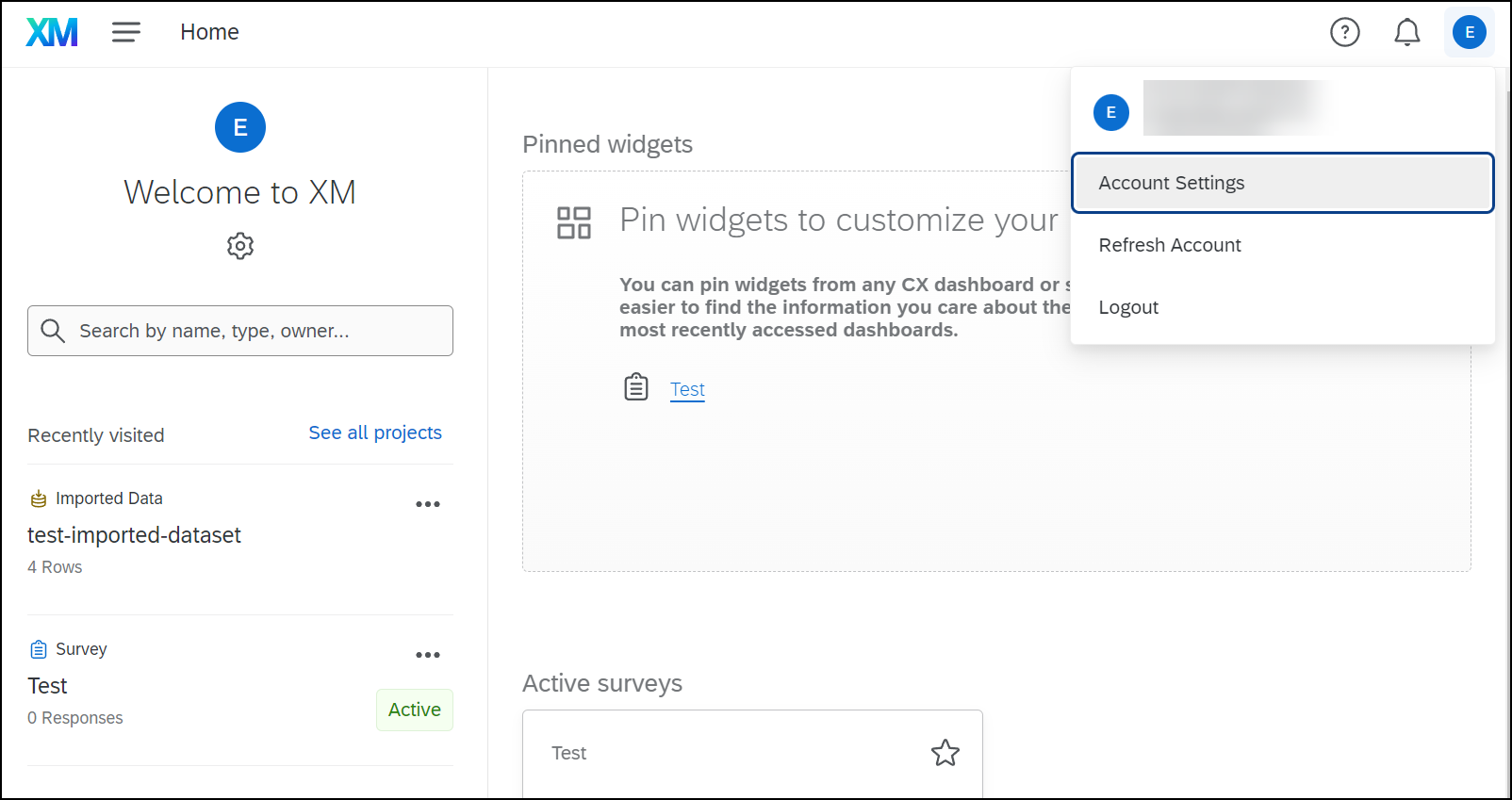
-
Go to Qualtrics IDs
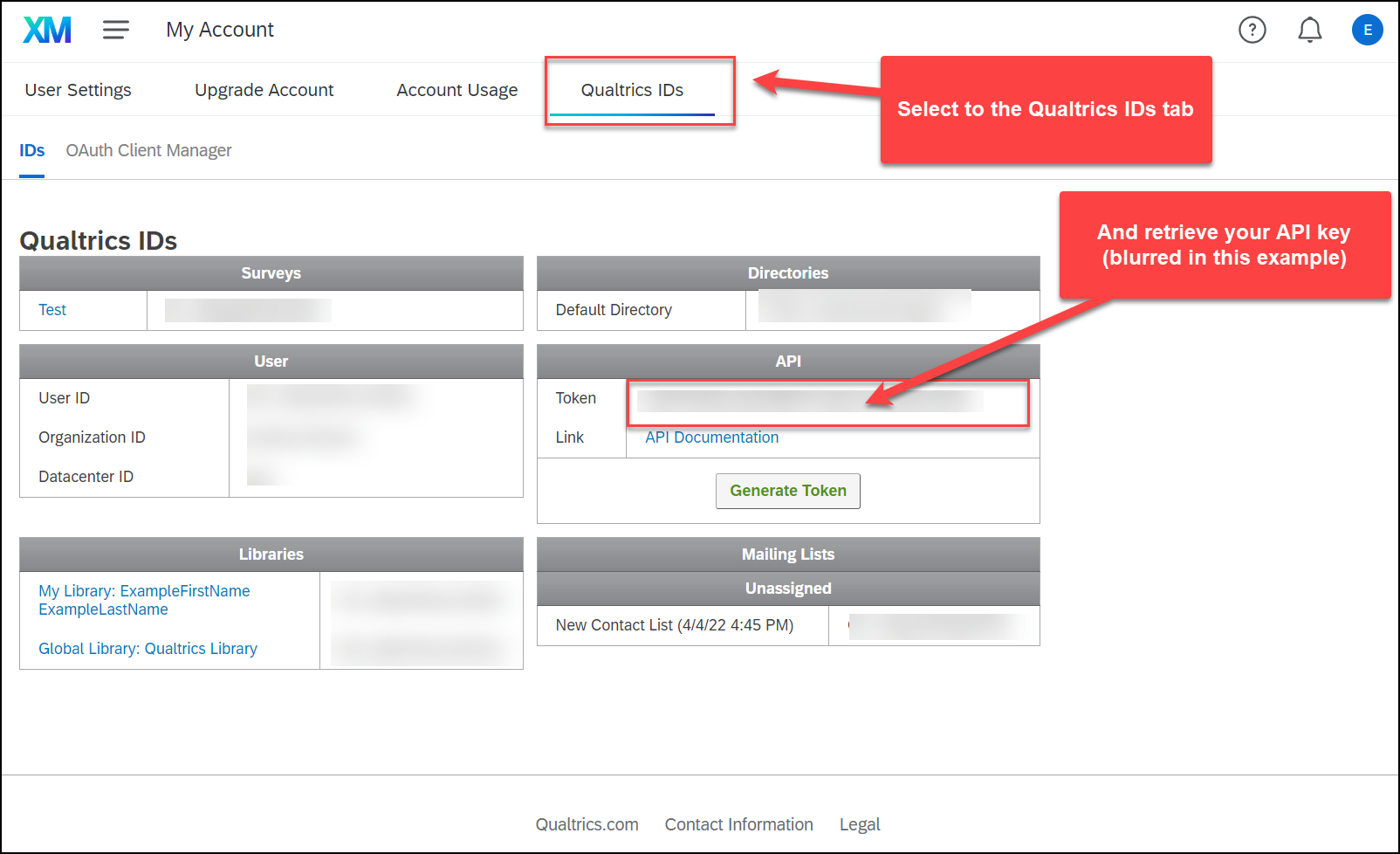
-
Click Generate if you haven't generated your token yet
Generate Token
If you already have a valid API token, "Generate Token" will replace it with a new one (the old one will expire immediately). Any existing API calls will not work until they are updated to use the new token.
Key Rotation
We highly recommend you rotate your API-token regularly (once a year) to help prevent theft. The best way to manage key rotation is to switch from X-API-TOKEN to OAuth 2.0, which includes automatic token expiry. Follow our OAuth 2.0 guide for a seamless transition without downtime.
Note: Rotating X-API-TOKEN will expire the current token and likely cause downtime.
Code Examples
GET /API/v3/:collection HTTP/1.1
Host: yourdatacenterid.qualtrics.com
X-API-TOKEN: yourtokenhere
Code and Qualtrics Support
Our support team does not offer assistance or consultation on custom coding, but you can always try asking our community of dedicated users. If you’d like to know more about our custom coding services you can commission, please contact your Qualtrics Account Executive.
import urllib.request #default module for Python 3.X

url = 'https://yourdatacenter.qualtrics.com/API/v3/:collection'
header = {'X-API-TOKEN': 'yourapitoken'}

req = urllib.request.Request(url,None,header) #generating the request object

handler = urllib.request.urlopen(req) #running the request object

print(handler.status) #print status code
print(handler.reason)
var settings = {
  "async": true,
  "crossDomain": true,
  "url": "https://yourdatacenter.qualtrics.com/API/v3/:collection",
  "method": "GET",
  "headers": {
    "x-api-token": "yourapitoken",
  }
}

$.ajax(settings).done(function (response) {
  console.log(response);
  // run some code
});
//this example assumes use of the "request" module
var request = require("request");

var options = {
  method: 'GET',
  url: 'https://yourdatacenter.qualtrics.com/API/v3/:collection',
  headers:
   {
     'x-api-token': 'yourapitoken'
   }
};

request(options, function (error, response, body) {
  if (error) throw new Error(error);
  console.log(body);
  // run some code
});