API Usage Report
This guide provides information to help you better monitor and understand the API interactions associated with your brand. Use the API Usage report to gain insights into the volume, status, and patterns of API calls over a rolling 90-day window.
Only Brand and Division Administrators Have Access
Only Brand Administrators and Division Administrators have access to this tab. Brand Administrators will see statistics across the entire brand, whereas Division Administrators will only see statistics for their division. Division Administrators do not have access to the License Usage Report, Activity Report, and Content Engagement.
View API Call Data
The API Usage report is designed to provide comprehensive details about the API calls made by your organization. Use this information to better understand your API usage trends and any issues that can degrade the performance and reliability of your API integrations.
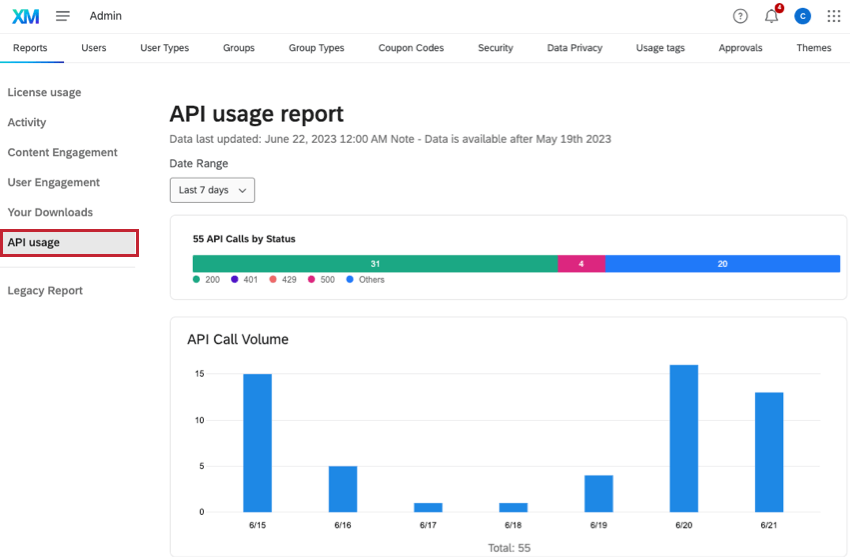
The report’s data refresh rate depends on the selected date range to ensure timely and relevant data insights.
- Less than 24 hours: Data is refreshed within minutes and provides near real-time visibility.
- 1 to 7 days: Data is updated within a few hours for same-day analysis.
- More than 7 days: Data is refreshed daily and is best for broad-trend analysis.
Understand API Call Statuses
The report includes a detailed breakdown of API call statuses, which helps you proactively monitor and troubleshoot troublesome API calls.
- Success Rates: Typically, API call success rates are above 98-99%. Consistently monitor this metric to maintain optimal operation.
- Failure Rates: Failure rates below 1-2% are considered normal. For rates above 3%, immediate investigation is recommended.
- Error Codes: A surge in specific error codes, like
429 Too Many Requests, could indicate rate limit issues.
For information on how to manage higher than usual failure rates or error codes, consult our Customer Success Hub or review the API Request Limits documentation.
API Call Details
Access granular data for each API call such as the HTTP method, endpoint, user ID, and status code. This level of detail is needed for deeper analysis and detailed audits of your API calls.
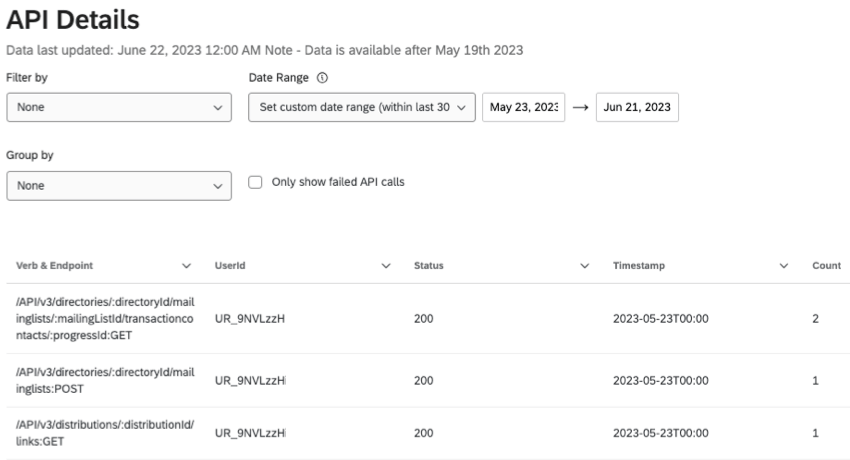
Analyze Excessive API Usage
To best identify and address excessive API usage, group calls by UserId. This helps reveal patterns, such as which users or services contribute the most traffic, and inform strategies to improve API usage.
Group API calls by
UserIdGroup the API details table by
UserIdfor a clear picture of usage patterns. In cases where rate limits are exceeded, this analysis is crucial for identifying and addressing the root cause.
List all API Users
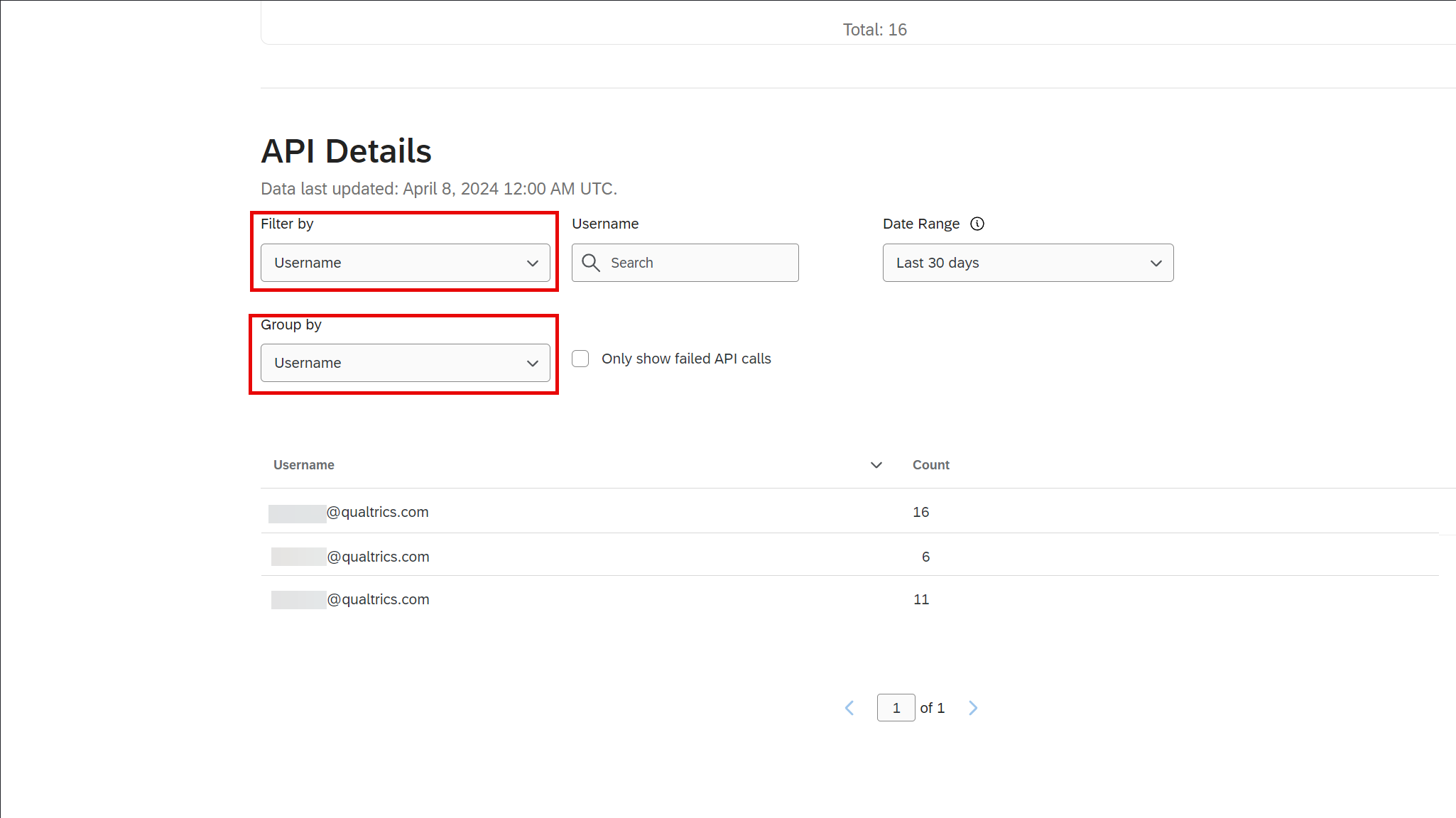
To see all users who have called your API (from within the last 90 days):
- Scroll down to API Details section
- In the Filter By menu, select Username
- In the Group By menu, select Username
The table then displays all users who've called your API within your selected date range.
Additional Resources
For more detailed instructions on how to best manage API calls and understand the full capabilities of the Qualtrics API, please refer to the API Reference.
Support and Assistance
Should you need any assistance or encounter any issues with your API usage, our support team is available to provide the necessary help. Reach out to us through the Customer Success Hub, where our experts are ready to assist you with any queries or concerns.
Conclusion
Regular review of the API Usage report helps you fine-tune your brand's API interactions, promoting a continuous and hassle-free user experience. Use this guide as a starting point for becoming a master of API management within the Qualtrics XM platform.