XM Developer Assistant
In this guide you will Learn what the Developer Assistant AI tool is and how to use it to increase your efficiency in building and maintaining XM Extensions.
Introduction
The XM Developer Assistant is a generative AI chatbot that can answer your questions about anything related to XM Extensions and Plugins. It performs best at answering your questions about relevant XM development topics and providing links to source content and documentation.
At this time the assistant isn't meant to write Extension or Plugin code for you.
How to use it
Step 1: Find the Assistant
1.1: Navigate to the Developer Portal and login if you have an account
1.2: Locate the chat icon on the bottom right of any page (including this one!)
1.3: Click on the chat icon
Step 2: Ask Questions to the Assistant
We recommend that you ask questions to the Developer Assistant that are related to the Extension SDK.
Here are some sample questions that you could ask:
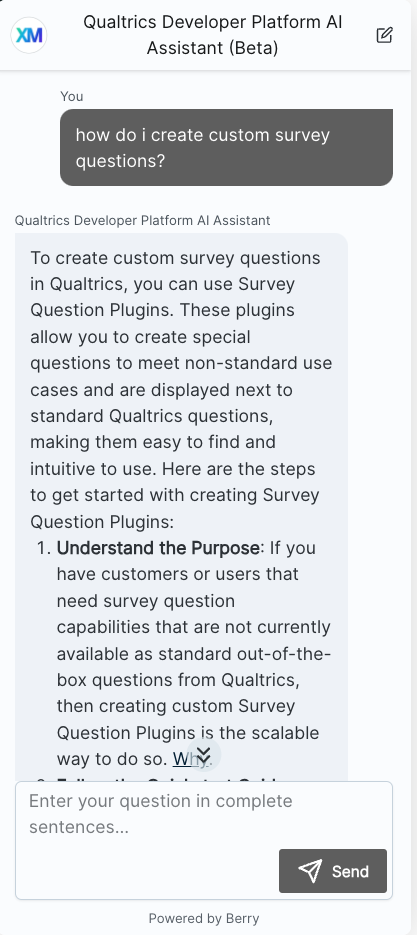
- How do I create custom survey questions?
- How many different XM Plugins are there?
- How do I publish and deploy my Extension?
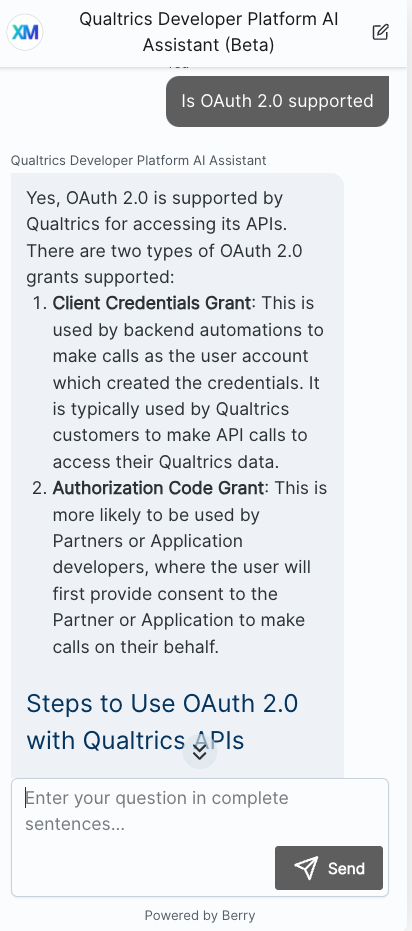
- Is OAuth 2.0 supported?
- What front-end components are provided?
And here are some sample responses:
| |
| |
|
Step 3: Follow Links for Details
The XM Developer Assistant is trained on documentation and will link to source documentation in the answers it provides.
You can follow these links to learn more about the topic you inquired about.