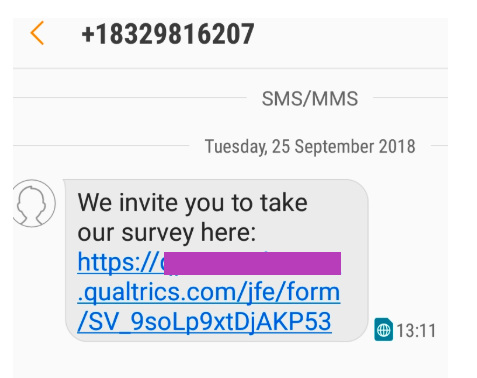
Send Survey as SMS Message or Email
Here we show how to create contacts and add them to a mailing list then distribute a link to that survey in an SMS message or email.
We use Python for the first part, then curl to look up the various IDs you will need, and finally Python to send the message.
Flow
The steps we will take are:
- Create Survey and Get Distribution URL
- Create Contacts and Add to Mailing List
- Send SMS or email
Prerequisites
- Python 3.x
- simplejson and requests Python packages
- Create Survey and Get Distribution URL
Create Survey and Get Distribution URL
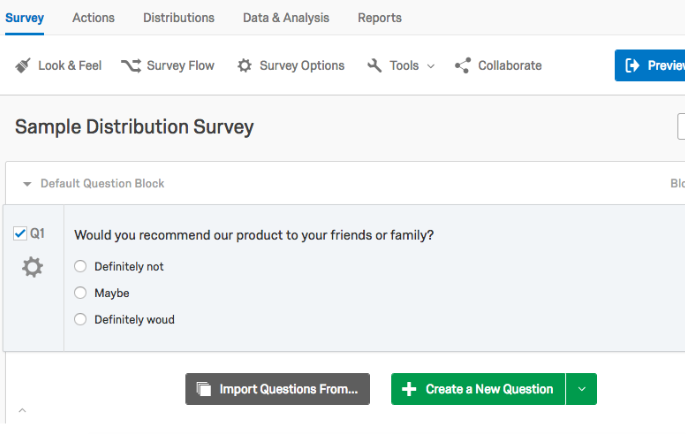
First create a simple survey.
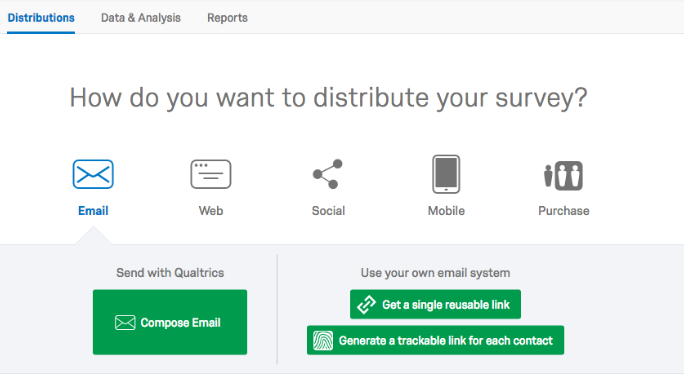
 Click the Distributions tab at the top and then select Get A Single Reusable Link.
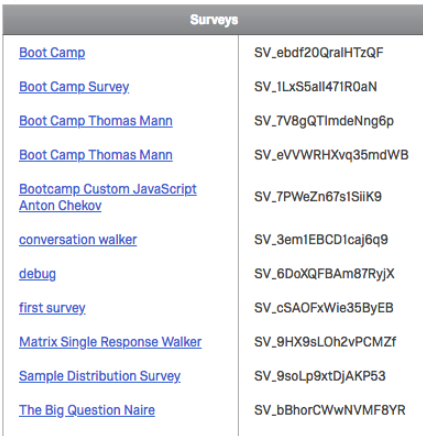
Get Survey ID
Look under Account Settings>Qualtrics ID and note the survey ID.
Create Contacts and Add to Mailing List
Select Directories>Contacts Directory>Lists>Create List>Mailing List. Then enter a name for the mailing list. Then note the URL of the created list:
https://(brand).(data center).qualtrics.com/iq-directory/#/(pool id)/mailing-lists/(maiiing list id)
You can also list your mailing lists like this:
curl -k -H 'X-API-TOKEN: (API Key)' 'https://co1.qualtrics.com/API/v3/mailinglists'
It responds:
{
  "libraryId": null,
  "id": "CG_3Vin61HwOs0TRzv",
  "name": "Sample Mailing List",
  "category": "Unassigned",
  "folder": null
}
Python Code to Create Contacts
We will use the API Create Contact.
Modify the code below to put your own API Token, dataCenter, mailingListId, and first and last names. The dataCenter is the first part of the URL after you login. The directoryId is the pool id in account settings>Qualtrics ID:
And put a valid phone number and email to test.
Note: it is not necessary to put a + (plus) in front of the phone number.
import requests

# Setting user Parameters
apiToken = "(API Token)"
dataCenter = "(data center)"
directoryId = "(directory ID)"
mailingListId = "(mailing List ID)"

baseUrl = "https://{0}.qualtrics.com/API/v3/directories/{1}/mailinglists/{2}/contacts".format(dataCenter, directoryId, mailingListId)
headers = {
    "x-api-token": apiToken,
    "Content-Type": "application/json"
    }

data = {"firstName": "James",
  "lastName": "Smith",
  "email": "js@example.com",
  "phone": "8005552000",
  "embeddedData": { "level": "mid", "area": "coast" },
  "language": "en",
  "extRef": "1234567",
  "unsubscribed": 0
   }
print(data)

response = requests.post(baseUrl, json=data, headers=headers)
print(response.text)
It will respond:
{
  "result": {
    "id": "CID_1AIpRP9k1v0UBLv",
    "contactLookupId": "CGC_6VcTTFsYCjZ83sN"
  },
  "meta": {
    "httpStatus": "200 - OK",
    "requestId": "4a4b22b4-5a96-4a06-b9bb-4097c342e513"
  }
}
You can list contacts imported to your mailing list like this:
curl -X GET -H 'X-API-TOKEN: (API Key)' 'https://co1.qualtrics.com/API/v3/directories/POOL_9H1MGk0YcdGVXKt/mailinglists/(mailing list id)/contacts'
And you can look them up in qualtrics.com:
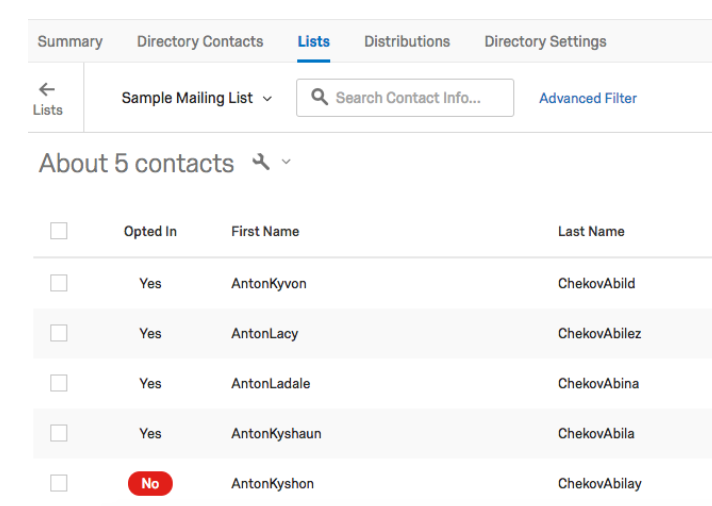
Create SMS or Email Message Text
Go to Library>Messages Library.
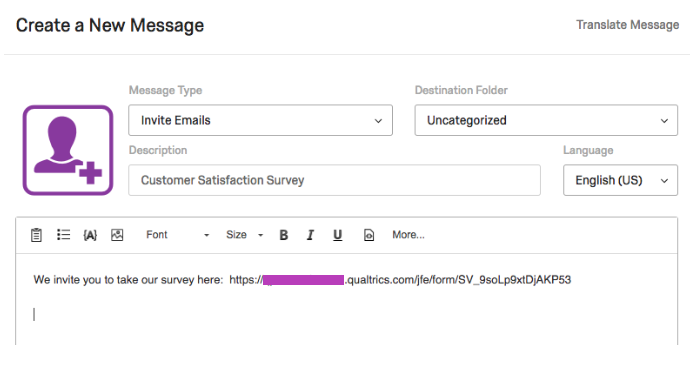
Click new message and write some text and then past the survey link you created above.
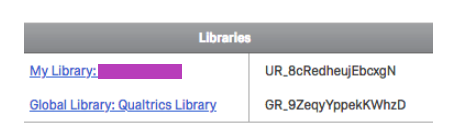
 To get the MessageID, we need the library ID. Get that from Account Settings/Qualtrics IDs under My Library.
 Use curl to look it up:
curl -k -H 'X-API-TOKEN: (API Key)' 'https://co1.qualtrics.com/API/v3/libraries/(library ID)/messages/'
It responds:
{
  "id": "(message ID)",
  "description": "Customer Satisfaction Survey",
  "category": "invite"
}
Create SMS or Email Distribution
The code below shows how to send a survey either as an email or an sms message. They are the same for sms or email. The only difference is which API to use to send the survey or email.
SMS Interactive Surveys Limited to Certain Types
Not all surveys can be sent as SMS interactive surveys. Basically it can only send simple multiple choice questions and other basic text. If you try to send a survey it cannot handle you will get this error message:
{
  "meta":{
    "httpStatus":"400 - Bad Request",
    "error":{
      "errorMessage":"Bad SMS distribution request: Survey is not SMS compatible",
      "errorCode":"PSC_0.0"
      }
}
You can get more information about survey compatibility at the support page for SMS Distributions
Getting the IDs You Need
Here quickly are the curl statements you can use to get message ID and the other items you will need. In particular you will need these items:
- directoryId
- mailingListId
- messageId
- libraryId
- surveyId
You can get more information on how to get your Qualtrics IDs at the support page for Finding Qualtrics IDs
# list mailing lists
curl -k -H 'X-API-TOKEN: (API Key)' 'https://co1.qualtrics.com/API/v3/mailinglists'

# list contacts in mailing lists
curl -X GET -H 'X-API-TOKEN: (API Key)' 'https://co1.qualtrics.com/API/v3/directories/(directoryID)/mailinglists/(mailingListId)/contacts'

# list messages
curl -k -H 'X-API-TOKEN: (API Key)' https://co1.qualtrics.com/API/v3/libraries/(libraryID)/messages
Sending The SMS
Code and Qualtrics Support
Our support team does not offer assistance or consultation on custom coding, but you can always try asking our community of dedicated users. If you’d like to know more about our custom coding services you can commission, please contact your Qualtrics Account Executive.
This code will send either an SMS message or email. It takes "sms" or "email" as command-line argument. You could expand that to add messageId, etc., so those do not have to be hard-coded.
You need to have these two environment variables set:
export APIKEY="XXXXXX"
export DATACENTER="XXX"
import requests
import json
from time import gmtime, strftime
from datetime import date
import datetime
import sys
import os

directoryId = "POOL_9H1MGk0YcdGVXKt"
mailingListId = "CG_bNn39KKI3zmfTeJ"
messageId = 'MS_1Mt2Nj5kczdnjMh'
libraryId = 'UR_8cRedheujEbcxgN'
surveyId = 'SV_cOPSAfYR8XR3TqR'

def sms(apiToken, dataCenter, method):

    headers = {
    "x-api-token": apiToken,
    "Content-Type": "application/json"
    }


    url = "https://{0}.qualtrics.com/API/v3/distributions/sms".format(dataCenter)

    recipients = {}
    recipients['mailingListId'] = mailingListId

    message = {}
    message['messageId']= messageId
    message['libraryId']=libraryId

    data = {}
    data['sendDate'] = strftime('%Y-%m-%dT%H:%M:%SZ', gmtime())
    data['method'] = method
    data['surveyId'] = surveyId
    data['name'] = "Customer Satisfaction Survey"
    data['recipients'] = recipients
    data['message'] = message

    print(data)

    response = requests.post(url, json=data, headers=headers)
    print(response.text)

def email(apiToken, dataCenter):

    headers = {
    "x-api-token": apiToken,
    "Content-Type": "application/json"
    }

    header = {}
    header['fromEmail'] = "noreply@qualtrics.com"
    header['fromName'] = "Qualtrics"
    header['replyToEmail'] = "noreply@qualtrics.com"
    header['subject'] = "Survey Distribution"

    surveyLink={}
    surveyLink['surveyId'] = surveyId
    surveyLink['type'] = "Individual"

    message = {}
    message["libraryId"] = libraryId
    message["messageId"] = messageId

    recipients={}
    recipients["mailingListId"] = mailingListId

    data = {}
    data['header'] = header
    data['surveyLink'] = surveyLink
    data['recipients'] = recipients
    data['sendDate'] = strftime('%Y-%m-%dT%H:%M:%SZ', gmtime())
    data['message'] = message

    print(data)

    url='https://{0}.qualtrics.com/API/v3/distributions'.format(dataCenter)
    response = requests.post(url, json=data, headers=headers)
    print(response.text)

def main():
    try:
        operation  = sys.argv[1]
        if operation == "sms":
           distribution = sys.argv[2]
    except IndexError:
        print ("usage: %s -i <operation> 'email' or 'sms Invite' or sms Interactive")
        sys.exit(2)

    try:
        apiToken = os.environ['APIKEY']
        dataCenter = os.environ['DATACENTER']
    except KeyError:
        print("set environment variables APIKEY and DATACENTER")
        sys.exit(2)

    if operation == 'email':
       email(apiToken, dataCenter)
    if operation == 'sms':
       sms(apiToken, dataCenter, distribution)

if __name__ == "__main__":
    main()
Check the Distribution Screen
Now check the distribution screen in the survey so see how many messages were delivered.
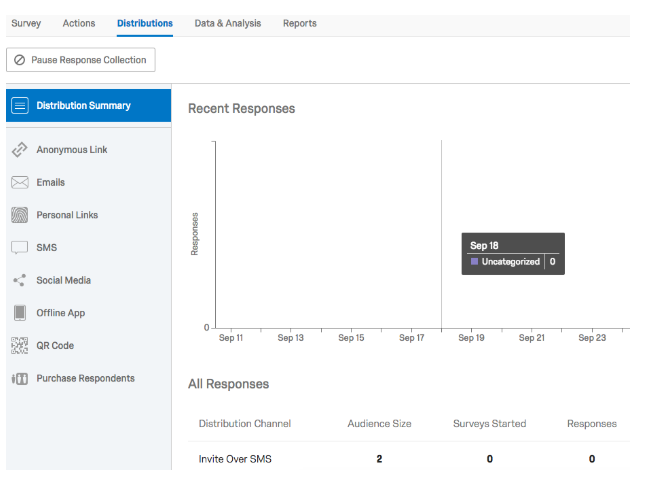
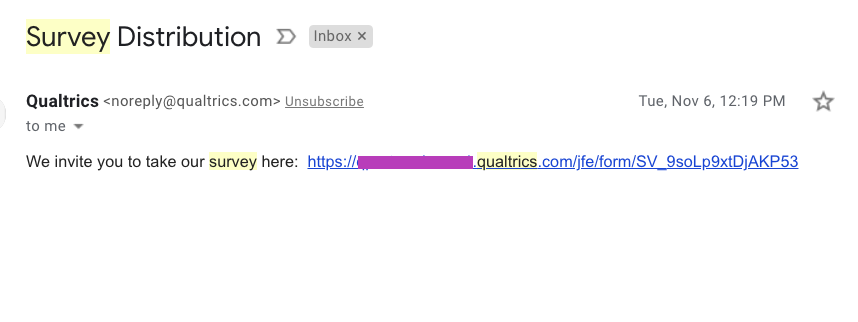
Review Email
Here is survey emailed:
Review SMS Message
The survey is sent as an SMS: